GEO and AEO for Shopify in 2026: What Actually Gets Your Store Into AI Answers
By Thomas Vu · Published · Updated
Shoppers now ask ChatGPT, Gemini, Copilot and Google's AI Mode what to buy, and those assistants answer with products, not ten blue links. For a Shopify merchant, "GEO" (generative engine optimization) and "AEO" (answer engine optimization) are simply the work of making sure your store is in those answers.
The good news: most of that work is not new, and a lot of the "AI hacks" being sold right now are noise. This guide separates what the platforms themselves say from what the hype says, and ends with a practical plan you can run on a small store.
- Shopify now switches on Agentic Storefronts by default, so eligible stores' products already reach ChatGPT and Copilot through Shopify Catalog. Google AI Mode and Gemini come through Catalog for select US brands, or through your Google & YouTube channel.
- Being eligible is not the same as being recommended. Product data quality, price, reviews and availability decide who gets picked.
- Google says optimizing for its AI features "is still SEO". llms.txt files, content "chunking" and chasing inauthentic mentions won't get you ahead there.
- Your edge comes from complete product data, honest stock status, original content written from experience, and real reviews and mentions.
GEO vs AEO for a store: two jobs, not one
People use GEO and AEO almost interchangeably, and Google treats both as the same thing. For a store, it is more useful to split the work by what the AI is showing.
Job | What the shopper sees | What the AI reads | Your main lever |
|---|---|---|---|
Get cited | A written answer with source links ("how do I choose a waterproof jacket?") | Your blog posts, guides, FAQs, collection pages, plus what others write about you | Original, experience-based content and real third-party mentions |
Get recommended | Product cards with image, price and a buy link ("waterproof jacket under $200") | Structured product data: title, description, variants, price, availability, reviews | Complete, accurate product data and honest stock status |
Most Shopify advice online focuses on the first job. For revenue, the second job matters more, and it is mostly decided by data you already control in your Shopify admin.
What changed in 2026
Three changes this year matter most for Shopify stores. Together they make AI visibility as much a product-data job as a content job.
When | What happened | Why it matters to you |
|---|---|---|
Jul 10, 2026 | Latest update to Google's own guide to optimizing for generative AI features | Official word on what works in AI Overviews and AI Mode, and what to ignore |
Early 2026 | Shopify turned on Agentic Storefronts by default for eligible merchants | Your catalog reaches AI channels such as ChatGPT and Copilot through Shopify Catalog, with no opt-in needed |
Mar to May 2026 | Google Merchant Center tightened its out-of-stock page rules, then added more ways to comply | Sold-out pages must show the status clearly, with a "Sold out" label or a greyed-out Buy button, and the page has to agree with the availability in your feed |
Agentic Storefronts in one paragraph. You manage it under Sales channels > Agentic in your Shopify admin. By default, available AI channels can read your products through Shopify Catalog, and Google AI Mode and Gemini can also use your Google & YouTube channel or Merchant Center data (Shopify Help Center). What the AI channels receive is product data: titles, descriptions, images, pricing and availability (Shopify Help Center).
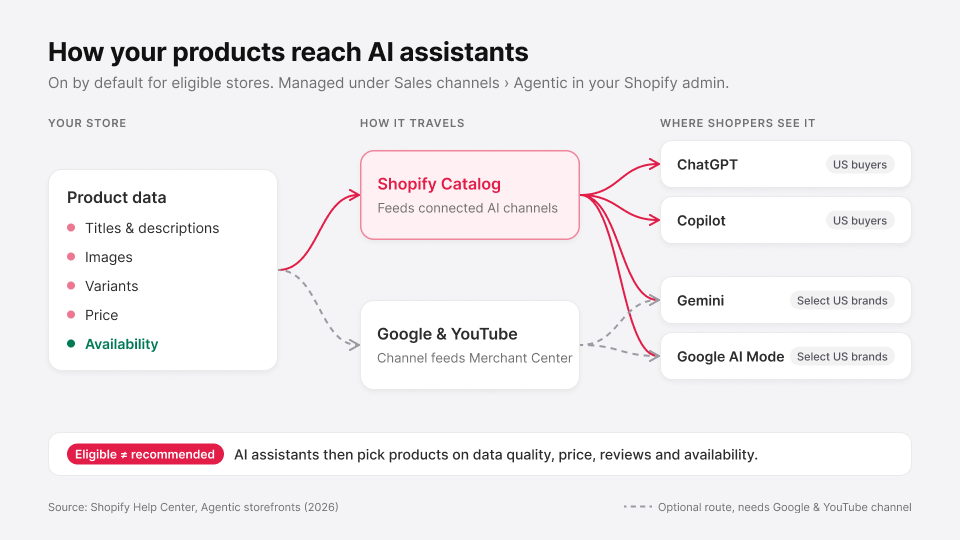
ChatGPT is a discovery channel. Shoppers find your product in ChatGPT, then get sent to your own online store checkout (Shopify Help Center). Shopify notes that ChatGPT and Copilot are open to merchants in Shopify Catalog who sell to US buyers, wherever the store itself is based (Shopify).
If your store is based outside the US but ships there, that last point matters: you are likely already eligible. And because the sale still happens on your own product page and checkout, the usual conversion factors still decide whether an AI referral turns into an order.
How AI assistants actually pick products
Nobody outside OpenAI or Google knows the exact ranking, and anyone selling you a "formula" is guessing. But the platforms do say which inputs they use, and those inputs are enough to act on.

What OpenAI says. ChatGPT shows a product when it judges it relevant to the shopper's intent and context. In OpenAI's own example it weighs available options, price, reviews and ease of use. Its inputs include structured metadata such as price and description, other third-party content, and the model's own prior knowledge (OpenAI Help Center).
When several stores sell the same item, ChatGPT ranks the merchants on availability, price, quality, and whether the store is the maker or primary seller. Product results are organic: OpenAI states they are not ads and are not influenced by partnerships (OpenAI Help Center).
What Shopify says. Ranking varies by AI platform, but can include data quality, relevance, availability, pricing and engagement signals (Shopify). Shopify also flags the gaps that hold products back: missing descriptions, too few relevant images, and incomplete variant data. Complete variants help the AI match a request for a specific size, colour or style (Shopify Help Center).
The pattern. Read both lists side by side and one word appears in each: availability. An AI assistant has every reason not to recommend something the shopper can't buy. Price, reviews and data completeness are the other shared signals.
What you can safely ignore
Google's guide tackles the popular GEO tactics head-on. Its headline: for Google, optimizing for generative AI search is optimizing for search, so it is still SEO (Google Search Central). Here is what it says you don't need to do.
Popular GEO tactic | What Google says | Our take for Shopify stores |
|---|---|---|
Add an llms.txt file | Google Search doesn't use it; it neither helps nor hurts | Optional. Some other AI tools may read it. Don't pay for it. |
"Chunk" pages into tiny blocks | Not required; there's no need to break content into tiny pieces | Write for shoppers. Clear headings help people anyway. |
Rewrite content "for AI" with every long-tail variation | Not needed; AI understands synonyms and meaning | Don't spin up near-duplicate pages per query. Google calls that scaled content abuse. |
Chase inauthentic mentions | Isn't as helpful as it might seem | Earn real reviews and real coverage instead. |
Treat special schema as the key | Structured data isn't required and there's no special AI markup | Keep standard Product markup for rich results. It's still worth it. |
One more warning from the same guide: no third-party tool has access to Google's internal ranking or AI systems. Be wary of tools that promise AI rankings.
A five-part plan that works on a small store
You don't need an agency retainer for this. Work through the parts in order; the first two drive most of the results.
1. Make sure you're switched on
- Open Sales channels > Agentic and check which AI channels can read your catalog. Leave "Allow Shopify to manage for me" on unless you have a reason not to.
- Connect Google Merchant Center (through the Google & YouTube channel). Google AI Mode and Gemini can draw on it.
- In Google Search Console, confirm your site is included in Search generative AI features. Google says a site must be included there to be eligible for display in AI Overviews and AI Mode (Google Search Central).
2. Fix your product data first
This is the part that decides product cards, so it pays back fastest.
Start in Sales channels > Agentic. Its search preview shows how your products might rank in Shopify Catalog search, with a listing quality score built from description completeness, image count, verified reviews, variant completeness and in-stock availability, and store policies (Shopify Help Center). Fix what it flags on your best sellers first. Treat the ranking as directional: Shopify notes that each AI channel can re-rank the results.
- Titles that say what the thing is: product type, key attribute, material or size. "Linen Shirt, Relaxed Fit, Sage" beats "The Sunday".
- Descriptions that answer buying questions: who it's for, sizing, materials, care, what's in the box. For ChatGPT, Shopify asks you to put any legal disclosures in the first 6,000 characters (Shopify Help Center).
- Complete variants with their own images and correct options. If you're unsure where each field lives, see our guide to adding products to Shopify.
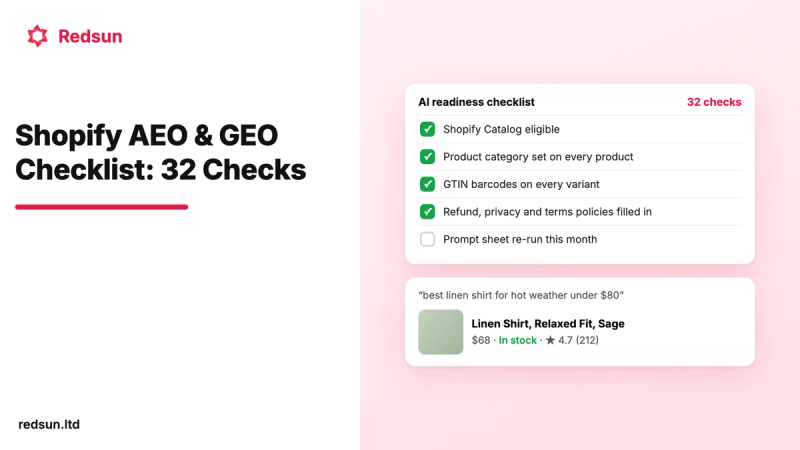
- Product category, vendor and barcodes (GTIN) where you have them. They help assistants recognise the same product across stores.
- Data in metafields? Use Shopify Catalog mapping so the right fields reach AI channels (Shopify Help Center).
- Accurate availability. Keep stock counts in sync, and make sure the product page, your feed and your Product structured data all show the same stock status. Google Merchant Center now expects them to match.
3. Publish content only you can write
Google's top recommendation is "non-commodity" content: first-hand, experience-based pages that add something beyond common knowledge (Google Search Central). For a store, that means:
- Buying guides built from your own returns data, fit feedback or testing.
- Honest comparisons between your own products ("which of our three tents for wet weather?").
- FAQs from real support tickets, answered on the product or collection page where shoppers need them.
Academic research points the same way. In the original GEO study, the best methods (citing sources, adding quotations and adding statistics) raised a source's visibility in generative answers by up to about 40%. Keyword stuffing gave little to no improvement, and on Perplexity it did 10% worse than doing nothing (Aggarwal et al., KDD 2024). Treat that as a direction, not a guarantee: it was measured on a research benchmark.
4. Keep the technical basics clean
- Pages must be indexable and eligible for a snippet. AI features build on the normal search index.
- Keep standard Product structured data (most Shopify themes include it) with price, availability and reviews, and make sure it matches the page.
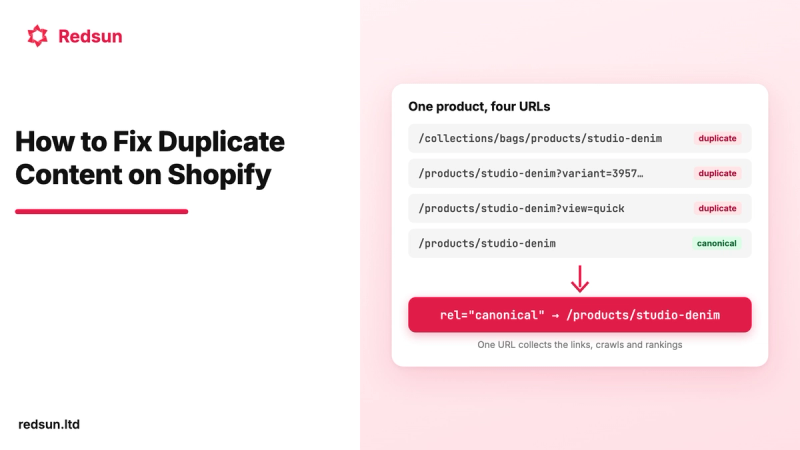
- Avoid duplicate URLs and slow, JavaScript-only content.
- Check your robots.txt isn't blocking search crawlers you want, such as Googlebot, Bingbot and OAI-SearchBot.
5. Earn real mentions
AI answers draw on what others say about you: reviews, forums, videos and blog roundups. Shopify's own AEO guide gives the example of an AI answer drawing on a Reddit thread and a magazine roundup (Shopify). Ask happy customers for reviews, send samples to genuine reviewers, and answer questions in communities where you're actually a member.
How to tell if it's working
You can measure AI visibility with free tools before you buy anything.
Where | What it shows |
|---|---|
Shopify admin > Sales channels > Agentic | Performance data for your agentic storefronts (Shopify Help Center) |
Shopify Analytics | Existing reports can be filtered by AI answer engines as a referrer (Shopify) |
Google Search Console | The Generative AI performance report covers AI features in Search and Discover (Google Search Central) |
A prompt sheet | 10–20 questions your customers really ask, checked in ChatGPT, Gemini and Perplexity every week or two. Note whether you're cited or shown. |
The prompt sheet is low-tech but honest. Shopify suggests the same approach: keep a spreadsheet of prompts and check them in ChatGPT regularly (Shopify). Answers vary between runs, so look for trends over weeks, not single results.
FAQ
Do I need to do anything to appear in ChatGPT?
If you're an eligible Shopify store selling to US buyers, your products already reach ChatGPT through Shopify Catalog. Shopify says you don't need to do anything for them to be discovered (Shopify Help Center). Being recommended depends on your data quality, price, reviews and availability.
Is GEO different from SEO?
Google says no: for its AI features, it's still SEO. Product cards in ChatGPT and Copilot add one thing SEO used to treat as secondary: your product feed data now matters as much as your pages.
Should I add an llms.txt file?
It won't help or hurt in Google. Some other AI tools may read it, so add one if it takes you a few minutes, but don't pay anyone to do it.
Should I hide out-of-stock products?
Usually not if they're coming back. Keep the page live and clearly marked as sold out, so the page, feed and schema all agree, and move it to the bottom of its collections. Our guide to keeping, hiding or redirecting out-of-stock products explains what each option does to your Google and AI visibility, and our guide on how to hide sold-out products and variants in Shopify walks through the methods.