Excellent Shopify Apps for BFCM Sales 2026: 10 Picks by Job
By Thomas Vu · Published
Black Friday falls on November 27, 2026, and Cyber Monday on November 30. The best Shopify apps for Black Friday Cyber Monday (BFCM) each do one job that the sale weekend puts under pressure: keeping sold-out products out of the way, running offers, building bigger carts, creating urgency, reaching your list, showing proof and catching demand for items you've run out of.
The stakes keep rising. Shopify merchants sold a record $14.6 billion over the BFCM 2025 weekend, up 27% on the year before, and sales peaked at $5.1 million a minute at 12:01 p.m. EST on Black Friday (Shopify, December 2, 2025). At that pace, an app you haven't tested yet is a risk, so this list is built around what to install now and how to set it up before the traffic arrives.
Disclosure: we make Out of Stocks Manager, the first app on this list. Every rating and price in this post comes from the app's Shopify App Store listing on October 18, 2026. Prices change, so check the listing before you install.
Key takeaways
- Keep sold-out best sellers from wasting sale traffic: Out of Stocks Manager pushes sold-out products to the bottom of collections in real time, rated 5.0 out of 5, from free, and $7.99 a month for 10,000 products.
- Run offers without code: Kite handles free gifts, BOGO and tiered discounts, free for your first 50 discount orders a month, then $29.
- Build bigger carts: Fast Bundle (5.0 from 3,563 reviews) adds bundles, volume discounts and frequently-bought-together offers.
- Reach your list for free or close to it: Shopify Messaging sends 10,000 emails a month free, and Klaviyo is free up to 250 contacts.
- Shopify already covers some BFCM jobs without an app: up to 25 automatic discounts, discount stacking and scheduled theme changes with Rollouts.
- Install by early November. Finish testing by about November 20, then freeze your theme and apps until Cyber Monday.
Quick picks
BFCM job | App | Starts at | Rating |
|---|---|---|---|
Keep sold-out products out of the way | Out of Stocks Manager | Free, then $3.99/month | 5.0 |
Free gifts, BOGO, tiered discounts | Kite Discount, Free Gift, BOGO | Free for 50 discount orders/month, then $29/month | 4.9 (1,307) |
Bundles and upsells | Fast Bundle (FBP) | $19/month | 5.0 (3,563) |
Countdown and urgency | Hextom: Countdown Timer Bar | Free | 4.9 (766) |
Email and SMS with deep segments | Klaviyo | Free up to 250 contacts | 4.7 (3,395) |
Email built into Shopify | Shopify Messaging | 10,000 emails/month free | 4.8 (4,685) |
Early-access sign-ups | Shopify Forms | Free | 4.5 (751) |
Reviews and star ratings | Judge.me | Free | 5.0 (48,702) |
Back-in-stock alerts and preorders | Amp Back in Stock & Preorder+ | Free for 10 alerts/month | 4.9 (965) |
Automations | Shopify Flow | Free | 4.7 (14,846) |
How we picked these apps
Every app here is available on the Shopify App Store today, rated 4.5 or higher, and has a free plan or a free trial, so you can test it on your store before November. We grouped them by the job each one does during a sale, because most stores need one app per job, not three.
Two post-purchase upsell apps that appear on many older BFCM lists, AfterSell and ReConvert, showed as "not currently available on the Shopify App Store" when we checked on October 18, 2026. If your plan relied on either, check the listing before you build around it. This list doesn't include a post-purchase upsell app this year; Fast Bundle, below, covers upsells on product pages and in the cart.
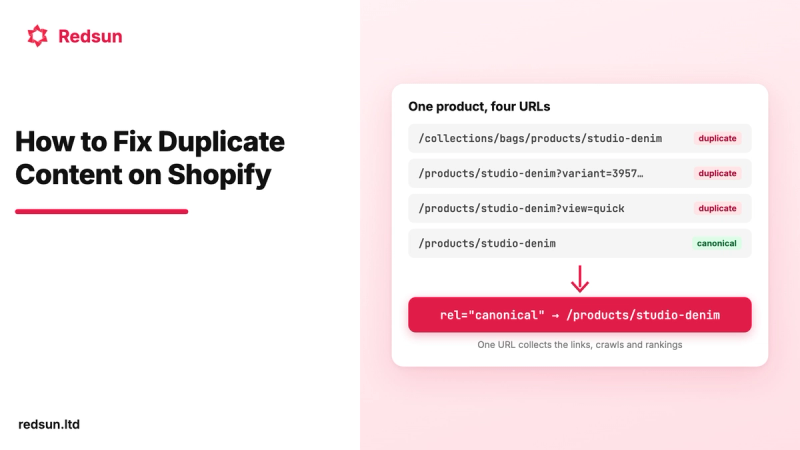
For the week-by-week plan that these apps fit into, see our Shopify BFCM preparation guide.
1. Out of Stocks Manager: keep sold-out products from wasting traffic
BFCM sells out your best sellers first. On a collection sorted by Best selling, those are the products at the top, so a few hours into the sale the first row shoppers see can be full of items they can't buy. Shopify has no setting to fix that.
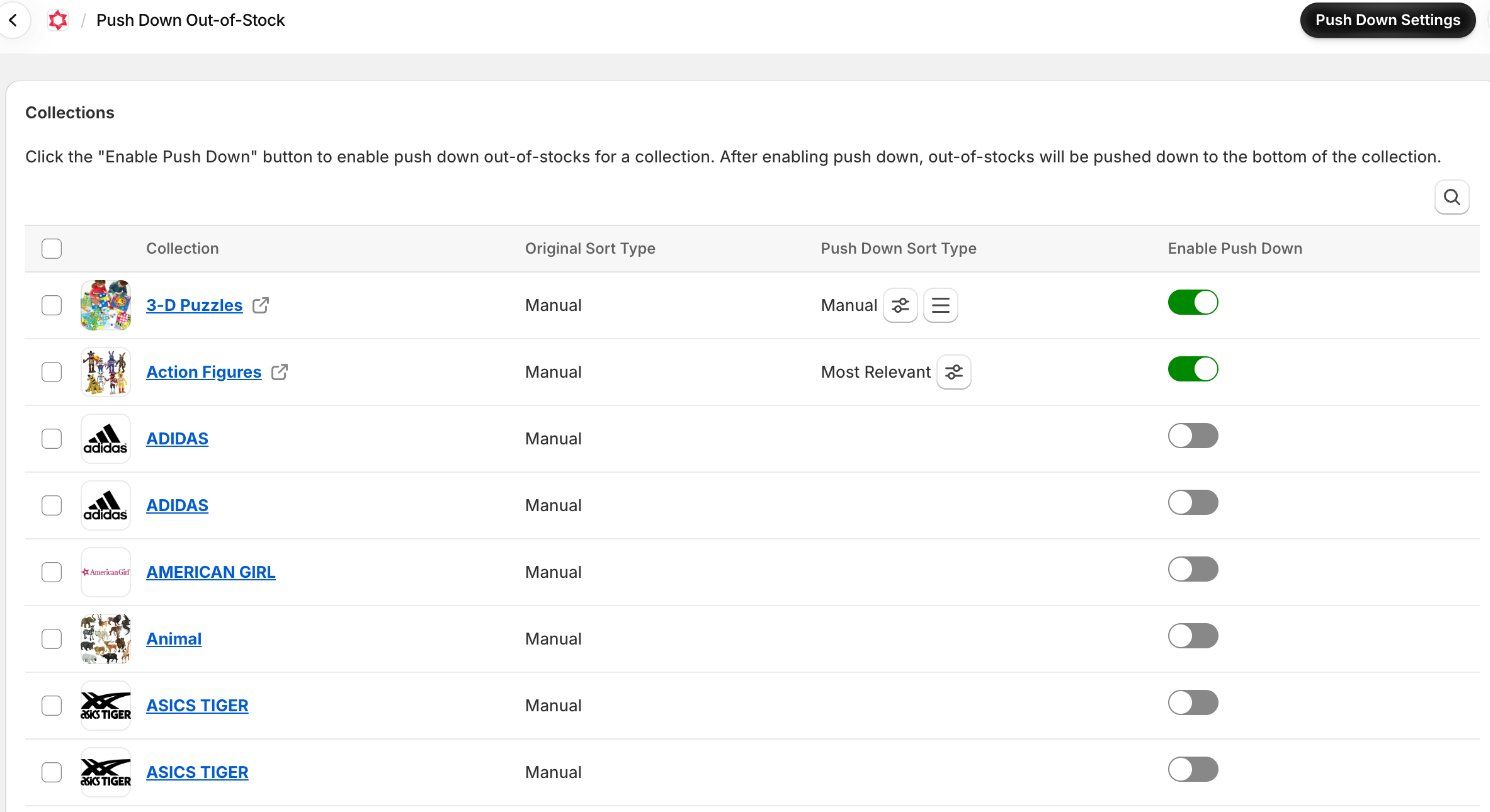
Out of Stocks Manager (listed on the Shopify App Store as Redsun: Out of Stock Manager) moves sold-out products to the bottom of each collection the moment they sell out, and moves them back when you restock. In-stock products stay in the order you chose, such as Best selling, price or Most relevant, set per collection. It runs in real time on every plan, including the free one, so it keeps up with BFCM's pace without you touching a collection.
- Rating: 5.0 out of 5 on the Shopify App Store.
- What it does: pushes down sold-out products, hides or redirects them (right away or after a number of days), and alerts you when a product or variant sells out so you can restock or swap the featured product.
- Plans: Free for 50 products and 100 collections. Standard $3.99/month for 500 products, Advance $7.99/month for 10,000 products and 300 collections, Premium $15.99/month for 100,000 products and 5,000 collections. 14-day free trial, and annual billing saves 25% (Shopify App Store).
- Why it's the pick: the lowest price at 10,000 products of the push-down apps we compared in our push-down app comparison, with real-time updates included from the free plan.
- BFCM setup: turn on push down for your sale collections a week or two before Black Friday, and turn on out-of-stock alerts so you hear about a sold-out best seller while you can still act on it.
Keep sold-out product pages live rather than deleting them during the sale. Shoppers and AI shopping tools can still find them, and they come back to the top on their own when you restock. Our guide to out-of-stock products, Google and AI shopping explains when to keep, hide or redirect them.
2. Kite: free gifts, BOGO and tiered discounts
Kite builds the offers that Shopify's discount screen makes fiddly: a free gift that's added to the cart automatically above a spend threshold, buy X get Y, tiered "spend more, save more" discounts, and progress bars that show how close a shopper is to the next reward. It's built on Shopify Functions, Shopify's own discount system, so the discounts are applied by Shopify rather than by scripts on your theme.
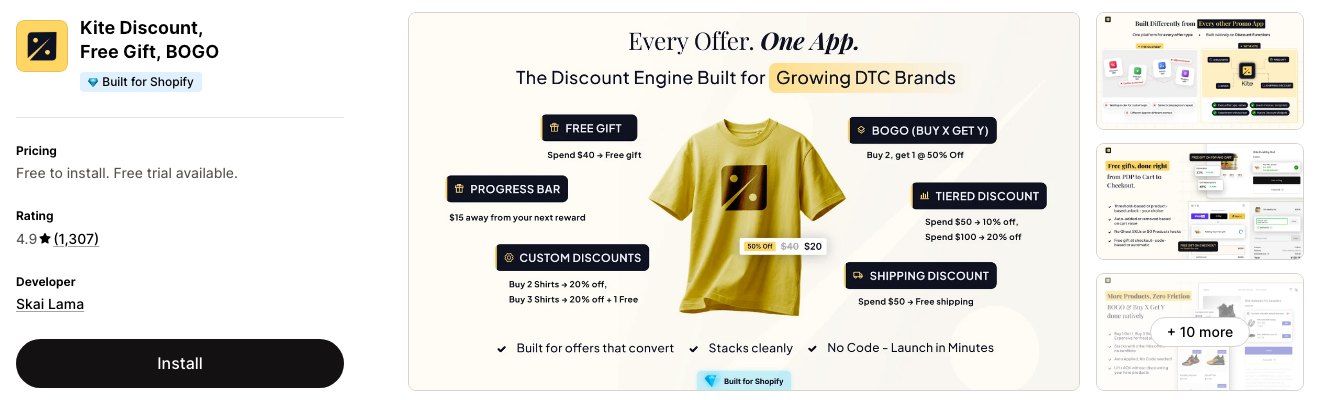
- Rating: 4.9 from 1,307 reviews. Built for Shopify. Developer: Skai Lama.
- Plans: Free for your first 50 discount orders each month. Starter $29/month for unlimited discount orders, combined offers and progress bars, Growth $49, Pro $99. If you go over 50 discount orders in a month, the Free plan bills $29 for that month. The Free and Starter plans aren't available on Shopify's Advanced and Plus plans. 7-day free trial (Shopify App Store).
- BFCM setup: schedule the offer to start and end on its own, and place a test order with every code you plan to share, so you can see how the offers combine at checkout.
3. Fast Bundle: bundles and upsells before checkout
Sale traffic is a good time to raise order value, because shoppers are already buying. Fast Bundle adds fixed bundles, mix-and-match builders, volume discounts, BOGO, frequently-bought-together blocks and product add-ons to product pages and the cart, and it works on Shopify POS too.
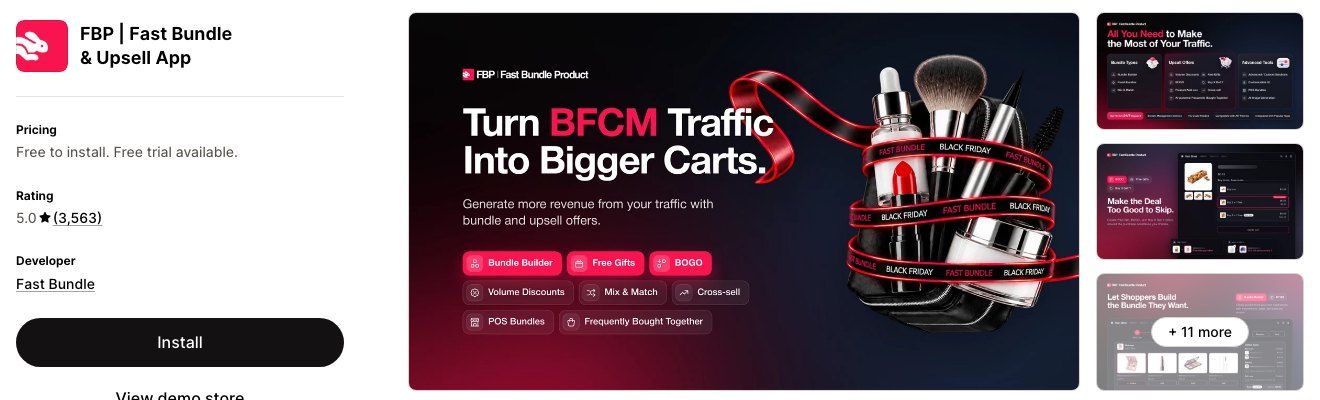
- Rating: 5.0 from 3,563 reviews. Developer: Fast Bundle.
- Plans: Free on development stores. Standard (1K) $19/month for up to $1,000 of monthly bundle sales, Standard (3K) $49/month for up to $3,000. 7-day free trial; annual billing saves about 20% (Shopify App Store).
- BFCM setup: bundle a best seller with a slower product rather than two best sellers, so the bundle moves stock you'd otherwise discount in January. Check whether your plan's bundle-sales cap will hold up on your busiest day.
4. Hextom Countdown Timer Bar: scheduled urgency
A countdown bar tells shoppers when the offer ends, which is the honest kind of urgency: it's true. Hextom's bar can be scheduled ahead of time, so the Black Friday timer appears and disappears on its own, and it can target pages, devices, customers and countries.
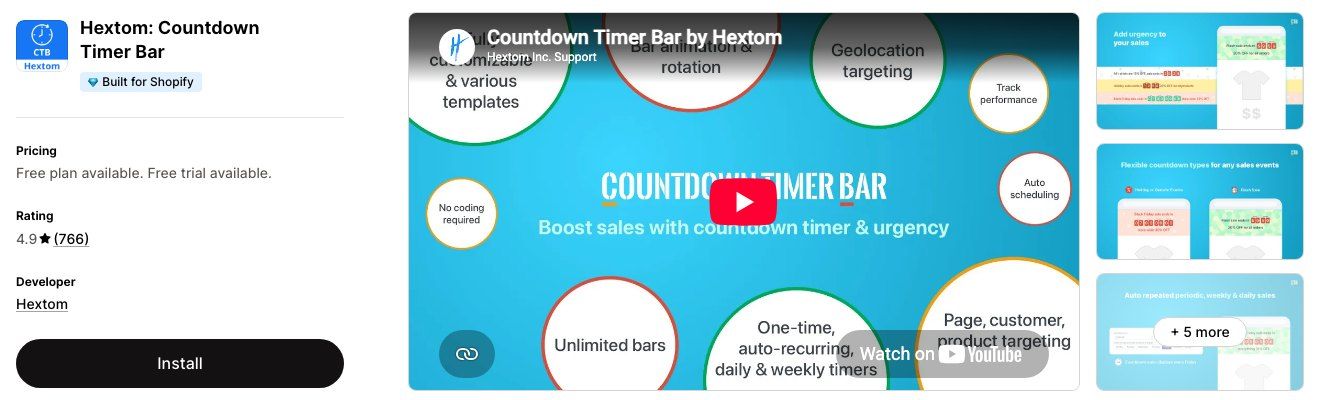
- Rating: 4.9 from 766 reviews. Built for Shopify. Developer: Hextom.
- Plans: Free plan with an event-based timer and page and device targeting. Premium $9.99/month, or $99/year, adds unlimited bars, daily, weekly and recurring timers, and geo targeting with Shopify Markets. 7-day free trial (Shopify App Store).
- BFCM setup: set the end time to match your discount's end time exactly, and if the offer changes for Cyber Monday, schedule a new bar to start when the Black Friday bar ends.
5. Klaviyo: email and SMS with deep segments
Klaviyo is an email and SMS platform for Shopify stores that want detailed segments: past buyers, people who browsed but didn't buy, people who bought last BFCM. It syncs your Shopify catalog, tags and coupons, and adds SMS, forms and push notifications.
- Rating: 4.7 from 3,395 reviews. Developer: Klaviyo.
- Plans: Free for up to 250 email contacts and 150 SMS/MMS credits. Email from $20/month for 251 to 500 contacts; SMS from $15/month for 1,250 credits. Klaviyo bills these separately from your Shopify invoice (Shopify App Store).
- BFCM setup: send your early-access email to engaged subscribers before the public launch, and pause your regular flows that would send discount codes that clash with the sale.
6. Shopify Messaging: email and SMS built into Shopify
Shopify Email is now called Shopify Messaging, and it covers email, SMS and WhatsApp from inside your Shopify admin. For a store that sends a few campaigns around BFCM, it's the simplest option: your products, discounts and customer segments are already there.
- Rating: 4.8 from 4,685 reviews. Developer: Shopify.
- Plans: Free to install. Your first 10,000 emails each month are free, then pricing starts at $1 per 1,000 emails. SMS and WhatsApp have extra charges (Shopify App Store).
- BFCM setup: build the Black Friday, Small Business Saturday and Cyber Monday emails now and schedule them, so nothing has to be written on the day.
7. Shopify Forms: build the early-access list
The cheapest BFCM customer is one who signed up before the sale. Shopify Forms adds pop-ups and inline sign-up forms that save contacts straight into Shopify customers, can show a discount, and tag new sign-ups so you can send them the early-access offer.
- Rating: 4.5 from 751 reviews. Developer: Shopify.
- Plans: Free (Shopify App Store).
- BFCM setup: start in October with an "early access to Black Friday" form, and tag sign-ups so Klaviyo or Shopify Messaging can send them the offer first.
8. Judge.me: reviews that help sale shoppers decide
BFCM brings shoppers who have never bought from you. Reviews and star ratings on product and collection pages are often what gets them past "is this store real?". Judge.me collects unlimited reviews with photos and videos on its free plan, and syncs reviews to Google, so ratings can show in search results.
- Rating: 5.0 from 48,702 reviews. Built for Shopify. Developer: Judge.me.
- Plans: Forever Free plan with unlimited product and store reviews, photo and video reviews, review widgets, Google reviews sync and rich snippets. Awesome $15/month adds AI replies, Q&A and more widgets, and 130+ integrations including Klaviyo. 15-day free trial (Shopify App Store).
- BFCM setup: schedule review request emails for after delivery, so BFCM buyers become the reviews that next year's shoppers read.
9. Amp Back in Stock & Preorder+: catch demand for sold-out items
When a product sells out mid-sale, some shoppers would still buy it later. Amp adds a Notify Me button and form to sold-out products, sends restock alerts by email, SMS or push, and can take preorders, so you collect payment before new stock arrives.
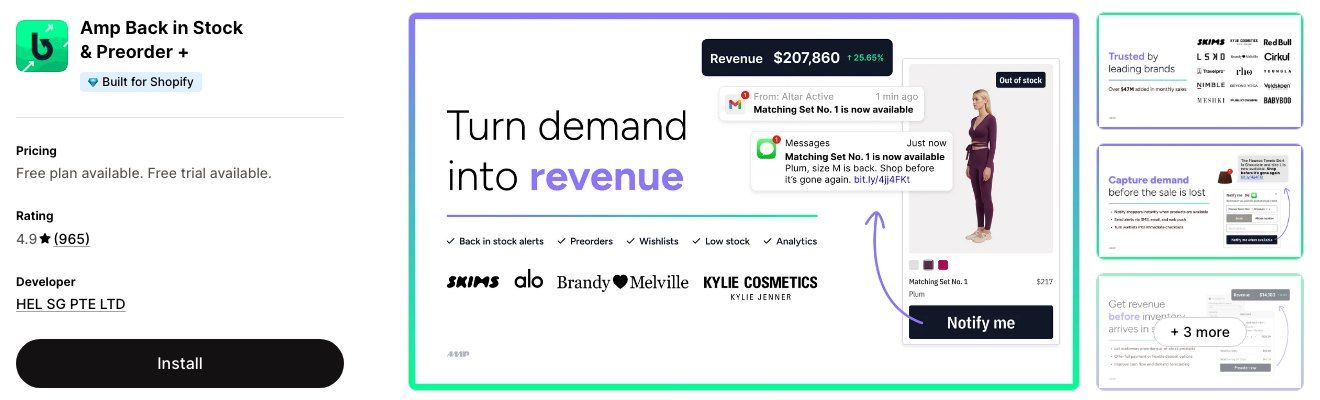
- Rating: 4.9 from 965 reviews. Built for Shopify. Developer: HEL SG PTE LTD.
- Plans: Free for 10 notifications a month with unlimited sign-ups. Starter $19/month ($49 on Shopify Plus) for 500 notifications, unlimited preorders and SMS. Growth $49/month ($99 on Plus) for 2,000 notifications and Klaviyo and Mailchimp integration. 14-day free trial (Shopify App Store).
- BFCM setup: the free plan's 10 notifications a month suit a small store; expect to need Starter if a best seller sells out. Use it alongside Out of Stocks Manager. One moves sold-out products out of the way in collections, the other turns their product pages into a waitlist.
10. Shopify Flow: automate the busy days
Shopify Flow is Shopify's free automation app. It runs workflows when something happens in your store, using hundreds of templates: tag big orders for faster packing, send a Slack message when an order looks risky, or tag customers who bought during the sale for a follow-up campaign.
- Rating: 4.7 from 14,846 reviews. Developer: Shopify.
- Plans: Free (Shopify App Store).
- BFCM setup: build and test each workflow before the code freeze, and keep them simple. Flow is most useful during BFCM for jobs your team would otherwise do by hand at 2 a.m.
When to set up each app
Install apps by early November, schedule the offers, finish testing by about November 20, then stop changing things. A change made the week of the sale has no time to be tested, so the last stretch before Black Friday is a freeze, not a time for new installs.
Two habits make the timeline work:
- Test on the devices shoppers use. On Cyber Monday 2025, 57.5% of US online sales came from mobile devices (Adobe, December 2, 2025). Place test orders on a phone, in guest checkout, with each discount you plan to share.
- Check your store speed after each install. Every app that adds a widget adds code to your storefront. If an app turns out not to earn its place, uninstall it before the freeze, not during the sale.
What Shopify already does without an app
Before you install an app for a job, check whether Shopify handles it. Three built-in features cover a lot of BFCM work:
- Discounts and stacking. You can have up to 25 active automatic discounts, including app discounts, and a customer can use up to 5 product or order discount codes plus 1 shipping code on one order. Discounts only combine when each one's combination settings allow it; if they can't combine, Shopify applies the best discount for the customer's cart (Shopify Help Center).
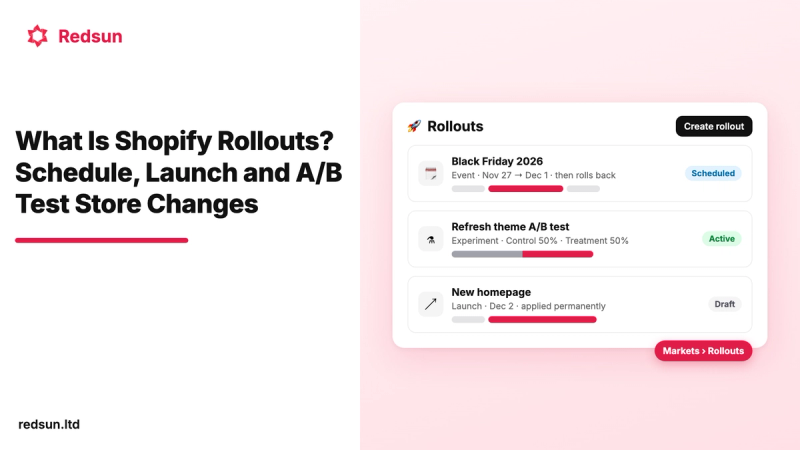
- Scheduled theme changes. Shopify Rollouts lets you schedule a theme change, such as a Black Friday homepage, to go live at a set time, and test it before launch. Our guide to Shopify Rollouts shows how.
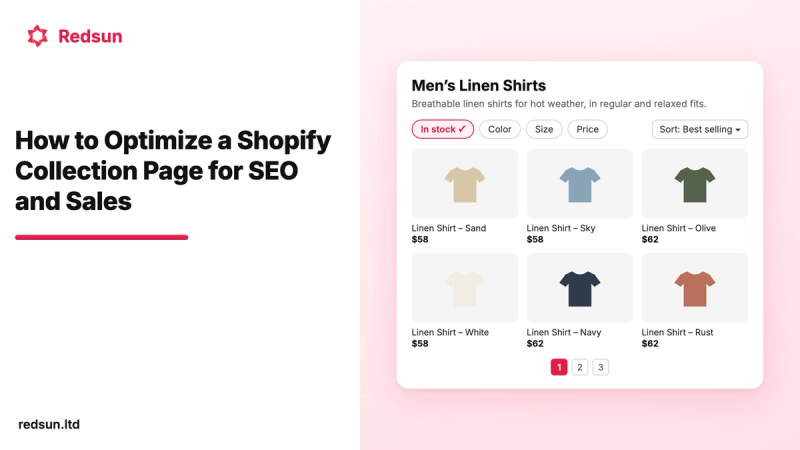
- Collection pages that convert. Clear collection pages, filters and sort orders matter more when traffic spikes. See how to optimize a Shopify collection page.
How deep to discount
Your discount decides which apps you need: a deep sitewide discount needs little more than a timer and email, while a modest discount works better with gifts, bundles and tiers that make the offer feel bigger. Adobe's data shows how deep US online retailers went on Cyber Monday 2025.
Peak discounts ran 25% to 31% in electronics, toys and apparel. If your margins can't match that, our suggestion is a smaller headline discount plus a free gift or a bundle price, which Kite and Fast Bundle are built for. Whatever you choose, work out the margin per order before you set the number.
Frequently asked questions
When is BFCM 2026?
Black Friday is Friday, November 27, 2026, and Cyber Monday is Monday, November 30, 2026. Many stores run their sale from Thanksgiving, November 26, through Cyber Monday, and some start early-access offers the week before.
Which Shopify apps do I need for Black Friday?
Most stores need one app per job: Out of Stocks Manager for sold-out products, a discount app such as Kite, an email tool such as Shopify Messaging or Klaviyo, and a reviews app such as Judge.me. Add bundles, a countdown timer and back-in-stock alerts if they fit your offer.
When should I install BFCM apps?
Install and set up apps by early November, so you have about two weeks to test them before the November 20 freeze. After that, change only what fixes a problem.
Do Shopify apps slow down my store during BFCM?
Apps that add widgets to your storefront add code that loads with each page, so each one can slow it a little. Check your store speed after each install and remove apps you don't use. Apps that work in your admin, such as Out of Stocks Manager's push down and Shopify Flow, don't add storefront widgets for those jobs.
Can I stack discounts on Shopify for Black Friday?
Yes, if each discount's combination settings allow it. Shopify supports up to 25 active automatic discounts and up to 5 product or order codes plus 1 shipping code on one order. Combining multiple product discounts on the same item requires Shopify Plus.
Get your store ready
BFCM 2026 rewards stores that set up early and change little during the sale. Pick one app per job, install by early November, test every offer on a phone, then freeze.
Start with the job that hits fastest: best sellers selling out on day one. Out of Stocks Manager keeps sold-out products at the bottom of your collections in real time, from free, and $7.99 a month for 10,000 products. Install it now and it will be running long before November 27. Learn more in our Out of Stocks Manager guide.